

This comprehensive guide provides beginners with a step-by-step approach to installing a Solar PoE switch, emphasizing the benefits of combining renewable energy with Power over Ethernet technology. It covers the selection of solar components, including panels, charge controllers, and batteries, as well as the crucial choice of an industrial-grade PoE switch. The article highlights Shenzhen Ficotek Photonics Co., Ltd. (FICOTEK) as a leading manufacturer, detailing their efficient innovation philosophy, complete industry chain capabilities, and product features such as industrial temperature resistance, outdoor lightning protection, and advanced network management (VLAN, QoS, RSTP, ERPS, SNMP, PoE control, link aggregation). Practical installation steps—from site preparation and panel mounting to power connection and switch configuration—are clearly explained. Advanced tips for PoE control and redundancy are also included. The summary underscores the reliability and support offered by FICOTEK, including a one-year replacement, three-year warranty, and lifetime technical assistance, making this guide an essential resource for anyone looking to deploy off-grid network solutions in remote or outdoor environments.
Introduction
Power over Ethernet (PoE) technology has revolutionized network installations by allowing both data and power to be transmitted over a single Ethernet cable. When combined with solar energy, it becomes an ideal solution for remote or outdoor applications such as surveillance systems, wireless access points, and IoT devices. This guide is designed for beginners who want to install a Solar PoE switch, leveraging the expertise of industry leaders like Shenzhen Ficotek Photonics Co., Ltd. (FICOTEK). FICOTEK adheres to a business philosophy of efficient innovation and people-oriented management, with a team rich in experience in enterprise management and optoelectronic product development. Their industrial-grade switches offer features such as VLAN, QoS, RSTP, ERPS, SNMP, PoE control, link aggregation, and lower power consumption, making them suitable for demanding environments like petroleum, energy storage, high-speed rail, wind power generation, and security.
What is a Solar PoE Switch?
A Solar PoE switch is a network switch that can be powered by solar panels, typically through a solar charge controller and battery system. It combines the functionality of a standard PoE switch with the ability to operate off-grid, using renewable energy. FICOTEK’s products are designed with industrial-grade temperature resistance and outdoor lightning protection, ensuring reliable performance even in harsh conditions. The company has complete R&D and production capabilities across the entire industry chain, from optical components to TOSA/ROSA/BOSA, optical modules, media converters, and industrial-grade switches. Any product launched by FICOTEK undergoes rigorous reliability verification.
undefined
Benefits of Using a Solar PoE Switch
- Cost Savings: Eliminates the need for separate electrical wiring and reduces electricity bills.
- Remote Deployment: Ideal for locations where grid power is unavailable or expensive to install.
- Environmentally Friendly: Uses clean solar energy.
- Reliability: With built-in lightning protection and industrial temperature tolerance, FICOTEK switches ensure continuous operation.
- Scalability: Easy to expand with additional solar panels or batteries.
Planning Your Solar PoE Installation
Assess Power Requirements
Calculate the total power consumption of all PoE devices (cameras, access points, etc.) plus the switch itself. FICOTEK switches are known for lower power consumption, which reduces solar panel and battery size. For example, a typical 8-port PoE switch might consume 10W, while providing up to 30W per port (802.3at).
Select Solar Components
- Solar Panels: Choose monocrystalline or polycrystalline panels with sufficient wattage. Consider average daily sunlight hours.
- Charge Controller: MPPT (Maximum Power Point Tracking) controllers are more efficient than PWM.
- Battery: Deep-cycle batteries (lead-acid or lithium) store energy for nighttime or cloudy days. Ensure capacity matches daily consumption.
- Inverter (if needed): Some PoE switches require AC power; others, like FICOTEK’s industrial models, accept DC input directly, simplifying the system.
Choose the Right PoE Switch
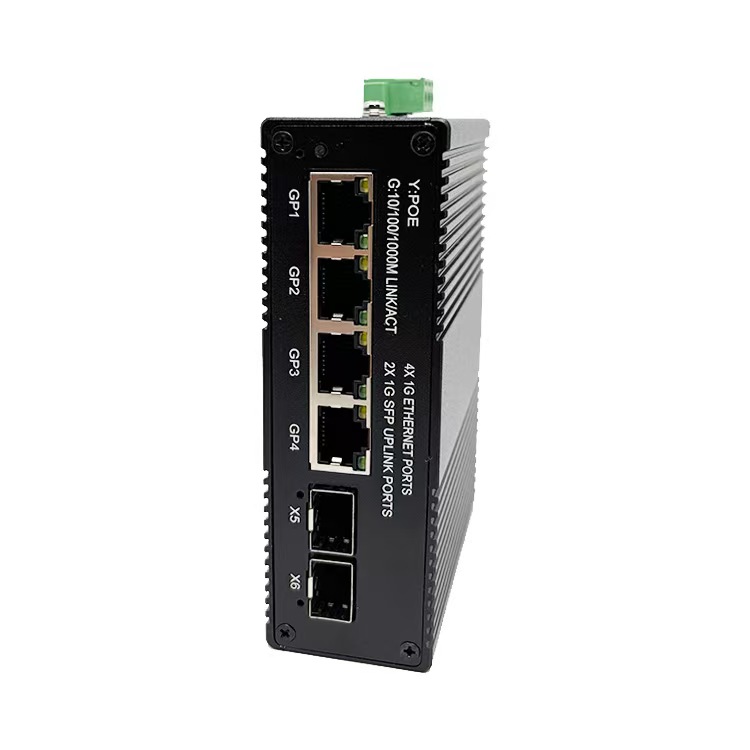
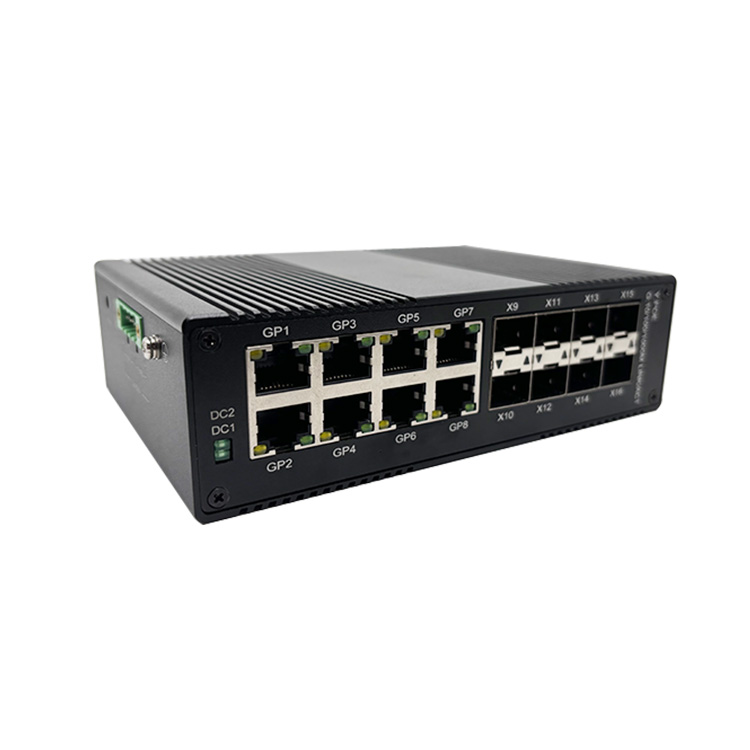
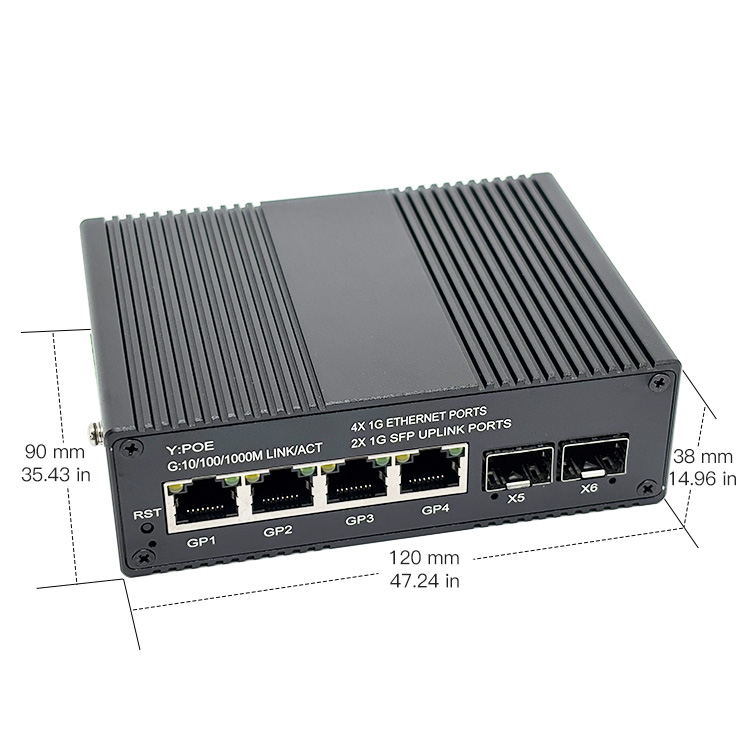
Select a switch with appropriate port count, PoE budget, and management features. FICOTEK offers switches with VLAN, QoS, RSTP, ERPS, SNMP, and PoE control – all essential for professional deployments. Their products come with a “one-year replacement, three-year warranty, and lifetime technical support” after-sales policy.
Installation Steps
Step 1: Prepare the Site
Select a location with maximum sun exposure for the solar panels. Ensure the switch and battery are in a weatherproof enclosure (IP65 or higher). FICOTEK switches are designed with outdoor lightning protection and industrial-grade temperature resistance, so they can handle most environments.
Step 2: Mount the Solar Panel
Install the solar panel on a sturdy mount, angled optimally for your latitude. Connect the panel to the charge controller using appropriate gauge wires.
Step 3: Connect the Battery
Connect the deep-cycle battery to the charge controller. Observe polarity. The charge controller will manage charging and prevent over-discharge.
Step 4: Power the PoE Switch
If the switch accepts DC input (e.g., 12V or 48V), connect it directly to the charge controller’s load output or through a fuse. For AC-powered switches, use a DC-AC inverter. FICOTEK switches often support a wide DC input range, simplifying integration.
Step 5: Connect Network Devices
Use Ethernet cables to connect PoE devices (cameras, etc.) to the switch ports. The switch will automatically detect and supply power if the devices are PoE-compliant.
Step 6: Configure the Switch
Access the switch’s web interface via a laptop connected to one of the non-PoE ports. FICOTEK switches offer a lightweight network management interface. Set up VLANs for traffic segmentation, QoS for prioritization, and enable RSTP or ERPS for network redundancy. For security, configure SNMP monitoring and PoE scheduling.
Step 7: Test the System
Verify that all devices receive power and are accessible on the network. Monitor the battery voltage and solar panel output using the charge controller’s display or a remote monitoring system.
Advanced Configuration Tips
PoE Control
FICOTEK switches allow per-port PoE control, enabling you to turn off power to non-critical devices during low battery conditions. This extends runtime.
Link Aggregation
Combine multiple ports for increased bandwidth to critical devices.
ERPS (Ethernet Ring Protection Switching)
For ring topologies, ERPS provides fast recovery (under 50ms) in case of a cable break.
Maintenance and Troubleshooting
Regularly clean solar panels and check battery connections. Monitor switch logs for errors. FICOTEK provides lifetime technical support, so contact their team if issues arise. Their R&D and production facilities ensure that replacement parts and upgrades are available.
Conclusion
Installing a Solar PoE switch is a straightforward process that enables reliable network connectivity in off-grid locations. By following this guide and using high-quality components from reputable manufacturers like FICOTEK, beginners can build a robust system. FICOTEK’s commitment to innovation and customer service, including OEM/ODM services, customized products with independent intellectual property rights, and extensive patents, makes them a trusted partner in the industry. Embrace solar power and PoE technology to create sustainable, efficient networks.
For more information, visit FICOTEK’s website or contact their sales team. They welcome friends from all walks of life to visit and provide guidance.