

This article provides a comprehensive guide on the key information to monitor on a solar PoE switch equipped with an LCD display, with insights from Shenzhen Ficotek Photonics Co., Ltd (FICOTEK). The focus is on six critical areas: solar power generation and energy storage (including voltage, current, battery state of charge), PoE power budget and per-port status, environmental conditions (temperature, humidity, fan speed), network health and traffic statistics (throughput, errors, redundancy protocol status), system alarms and event logs (low battery, overload, overtemperature), and firmware/system information (version, uptime, CPU/memory usage). FICOTEK’s products are highlighted for their industrial-grade temperature resistance, lightning protection, lightweight network management (VLAN, QoS, RSTP, ERPS, SNMP), and lower power consumption. The article emphasizes that monitoring these metrics enables proactive maintenance, optimizes performance, and extends equipment lifespan. FICOTEK’s custom OEM/ODM services and complete in-house R&D and production capabilities from optical components to switches ensure tailored solutions for industries like petroleum, energy storage, high-speed rail, wind power, and security. The company’s business philosophy of efficient innovation and people-oriented management, combined with a one-year replacement, three-year warranty, and lifetime technical support, reinforces reliability. By leveraging the LCD display, users can achieve better network availability and energy efficiency in remote, solar-powered deployments.
In the rapidly evolving landscape of network infrastructure, solar-powered Power over Ethernet (PoE) switches have emerged as a sustainable and efficient solution for remote and outdoor installations. These switches not only deliver data and power over a single cable but also harness solar energy, reducing reliance on traditional power grids. One of the most advanced features of modern solar PoE switches is the integrated LCD display, which provides real-time monitoring of critical parameters. Understanding what information to monitor on this display is essential for optimizing performance, ensuring reliability, and extending equipment lifespan.
Shenzhen Ficotek Photonics Co., Ltd (FICOTEK), a leading manufacturer in the photonics and optical communication industry, incorporates cutting-edge LCD displays into their solar PoE switches. FICOTEK’s products are designed for industrial-grade environments, offering features such as lightweight network management, VLAN, QoS, RSTP, ERPS, SNMP, PoE control, link aggregation, and lower power consumption. Their solar PoE switches are widely used in industries like petroleum, energy storage, high-speed rail, wind power generation, and security. With a focus on innovation and reliability, FICOTEK ensures that every product undergoes rigorous testing before market release. This article explores the key information that users should monitor on a solar PoE switch with an LCD display, leveraging FICOTEK’s expertise to highlight best practices.
1. Solar Power Generation and Energy Storage
The primary advantage of a solar PoE switch is its ability to operate using solar energy. The LCD display should provide real-time data on solar panel voltage, current, and power output. This information helps in assessing the efficiency of the solar harvesting system. Additionally, monitoring the battery voltage and state of charge (SOC) is crucial. FICOTEK’s switches are designed with advanced power management, ensuring that connected devices receive stable power even during fluctuating solar conditions. Users should check for voltage levels to prevent overcharging or deep discharge, which can damage batteries.
undefined
Key Metrics to Monitor:
- Solar Input Power (W) – Indicates energy harvested from panels.
- Battery Voltage (V) – Should remain within safe operating range.
- Battery State of Charge (%) – Helps predict backup duration.
- Load Power Consumption (W) – Total power drawn by PoE devices.
FICOTEK’s solar PoE switches are equipped with intelligent charging algorithms that optimize battery life. By monitoring these parameters, users can identify underperforming panels or excessive load, enabling proactive adjustments.
2. PoE Power Budget and Port Status
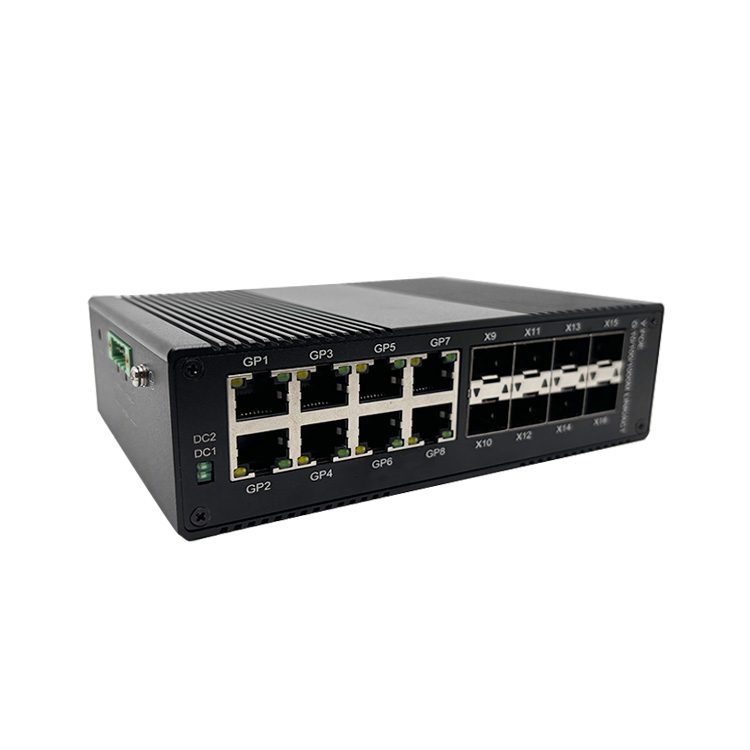
A solar PoE switch must allocate power efficiently to connected devices. The LCD display should show the total PoE power budget (e.g., 120W or 240W) and the current power consumption per port. This allows users to ensure that no port exceeds its limit, preventing overload or device failure. FICOTEK’s switches support PoE control, enabling per-port power management and scheduling. Monitoring port status (link up/down, speed, duplex) is equally important for network troubleshooting.
Key Metrics to Monitor:
- Total PoE Power Used (W) vs. Budget (W) – Critical for capacity planning.
- Per-Port Power (W) – Identifies power-hungry devices.
- Port PoE Status (On/Off) – Helps in managing power savings.
- Link Speed and Duplex – Indicates network health.
With FICOTEK’s lightweight network management, users can remotely adjust PoE settings. The LCD display provides instant visibility, reducing the need for additional monitoring tools.
3. Environmental Conditions
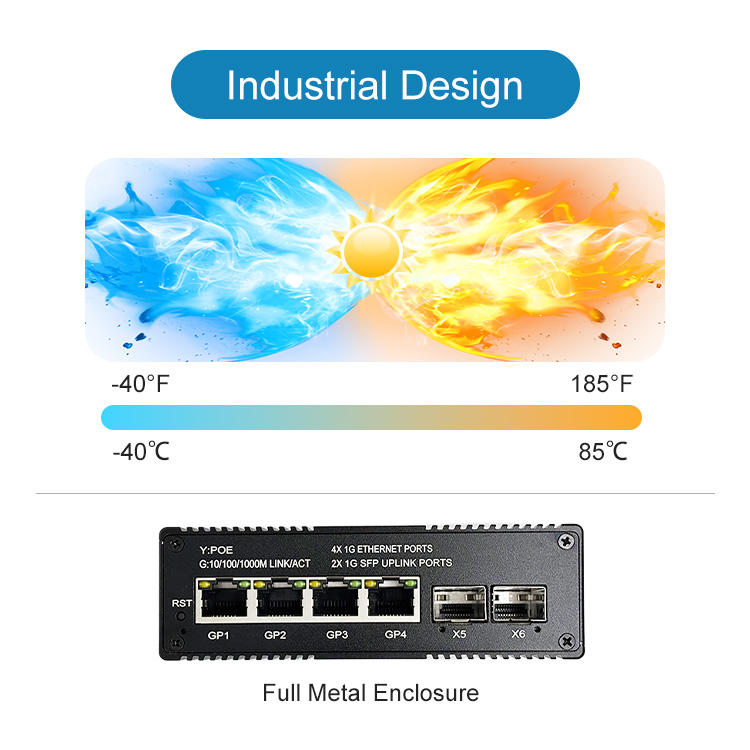
Outdoor solar PoE switches are exposed to harsh conditions. The LCD should display temperature (internal and external), humidity, and enclosure status. FICOTEK’s products are rated for industrial-grade temperature ranges (-40°C to 85°C) and include lightning protection. Monitoring temperature helps prevent thermal throttling or failure. If the switch is installed in a sealed enclosure, the display might also show the status of cooling fans or vents.
Key Metrics to Monitor:
- Internal Temperature (°C) – Keep within safe limits.
- External Temperature/Humidity – Indicates ambient conditions.
- Heatsink Temperature – Relevant for high-power PoE.
- Fan Speed (RPM) – If fan-cooled.
FICOTEK’s switches undergo rigorous reliability verification, including temperature cycling tests. The LCD display data aids in early detection of cooling failures or excessive heat buildup.
4. Network Health and Traffic Statistics
A solar PoE switch must maintain robust network connectivity. The LCD should display real-time traffic statistics such as throughput (Mbps), packet errors, collisions, and broadcast storms. Monitoring these helps identify bandwidth bottlenecks or faulty cables. FICOTEK’s switches support VLAN, QoS, RSTP, and ERPS for reliable network segmentation and redundancy. The LCD can show active VLANs, spanning tree status, and ring network health.
Key Metrics to Monitor:
- Throughput per Port (Mbps) – Bandwidth usage.
- CRC Errors / Collisions – Indicates physical layer issues.
- Broadcast Storm Counter – Prevents network congestion.
- RSTP/ERPS Status – Redundancy protocol state.
With FICOTEK’s SNMP support, these statistics can be integrated into a network management system. However, the LCD provides an at-a-glance view for field technicians.
5. System Alarms and Event Logs
The LCD display should feature an alarm section, highlighting critical events such as low battery, overcurrent, overtemperature, or link failures. FICOTEK’s switches store event logs that can be accessed via the LCD or web interface. Monitoring alarms allows immediate response to issues. For example, a sudden drop in solar input might indicate panel shading or damage.
Key Alarms:
- Battery Low – Requires attention or load shedding.
- PoE Overload – Port shutdown risk.
- Temperature High – Possible cooling failure.
- Link Down – Cable or device failure.
FICOTEK offers a “one-year replacement, three-year warranty, and lifetime technical support,” ensuring that alarms are backed by responsive service.
6. Firmware and System Information
Users should monitor firmware version, uptime, and system resources (CPU/memory usage) on the LCD. FICOTEK regularly releases firmware updates to enhance performance and security. The LCD can display the current version and notify of available updates. Monitoring uptime is useful for assessing stability; a low uptime might indicate frequent reboots due to power issues.
Key Metrics:
- Firmware Version – Stay up-to-date.
- Uptime (days/hours) – Reliability indicator.
- CPU Usage (%) – High load may affect performance.
- Memory Usage (MB) – Memory leaks can cause crashes.
FICOTEK’s management personnel have rich experience in enterprise management and development, ensuring robust firmware stability.
Customizing Monitoring with FICOTEK’s Solutions
FICOTEK offers OEM and ODM services, allowing customers to customize the LCD display layout to prioritize specific metrics. Their factory, which continues to grow in size and capacity, produces switches with independent intellectual property rights. With complete R&D capabilities covering the entire industry chain—from optical components to TOSA/ROSA/BOSA, optical modules, media converters, and industrial switches—FICOTEK can tailor monitoring parameters per application. For instance, in wind power generation, the LCD might focus on battery SOC and load shedding, while in security applications, PoE port status and link integrity are paramount.
All FICOTEK products undergo rigorous reliability verification before market launch. The company holds invention patents and utility model patents, reinforcing its commitment to innovation. By leveraging the LCD display effectively, users of FICOTEK’s solar PoE switches can ensure optimal performance, reduce downtime, and extend equipment life.
Conclusion
A solar PoE switch with an LCD display is a powerful tool for managing remote networks. Monitoring solar energy metrics, PoE power distribution, environmental conditions, network health, alarms, and system information is essential. FICOTEK’s robust product lineup, backed by strong R&D, manufacturing, and after-sales support, provides the reliability needed for critical applications. By understanding what to monitor, network administrators can proactively manage their infrastructure, leveraging the LCD display as a window into the switch’s operation.